Know where every sample is, and everything that happened to it.
Foundry120 tracks biospecimens across studies, sites, and freezers. A QR code on the tube links the physical material to a record that keeps its full history, and to the clinical data collected from the same participant.
How sample tracking works.
- 01
Label the tube
A QR sticker goes on the tube. The barcode it carries becomes that sample's ID.
- 02
Register by scanning
Enter the details once: study, participant ID, timepoint, sample type, collection time, storage location. Then scan. The form holds its settings between scans, so forty tubes is forty scans and no typing.
- 03
Move it
Samples travel. Collection site to research lab, one freezer to another. Pick the destination, scan the batch, and each record follows the material.
- 04
Retire it
When material is used up, a scan marks it used. Nothing is deleted. The record stays, with its history intact, and now says the tube is empty.
- 05
Read the history
Each record carries a timestamped log: what changed, who changed it, and the value before and after. It cannot be edited or deleted, so a correction shows the mistake and the fix side by side.
Three scanning workflows.
Each one does a single job, so nobody has to remember which mode they are in.
Add Multiple
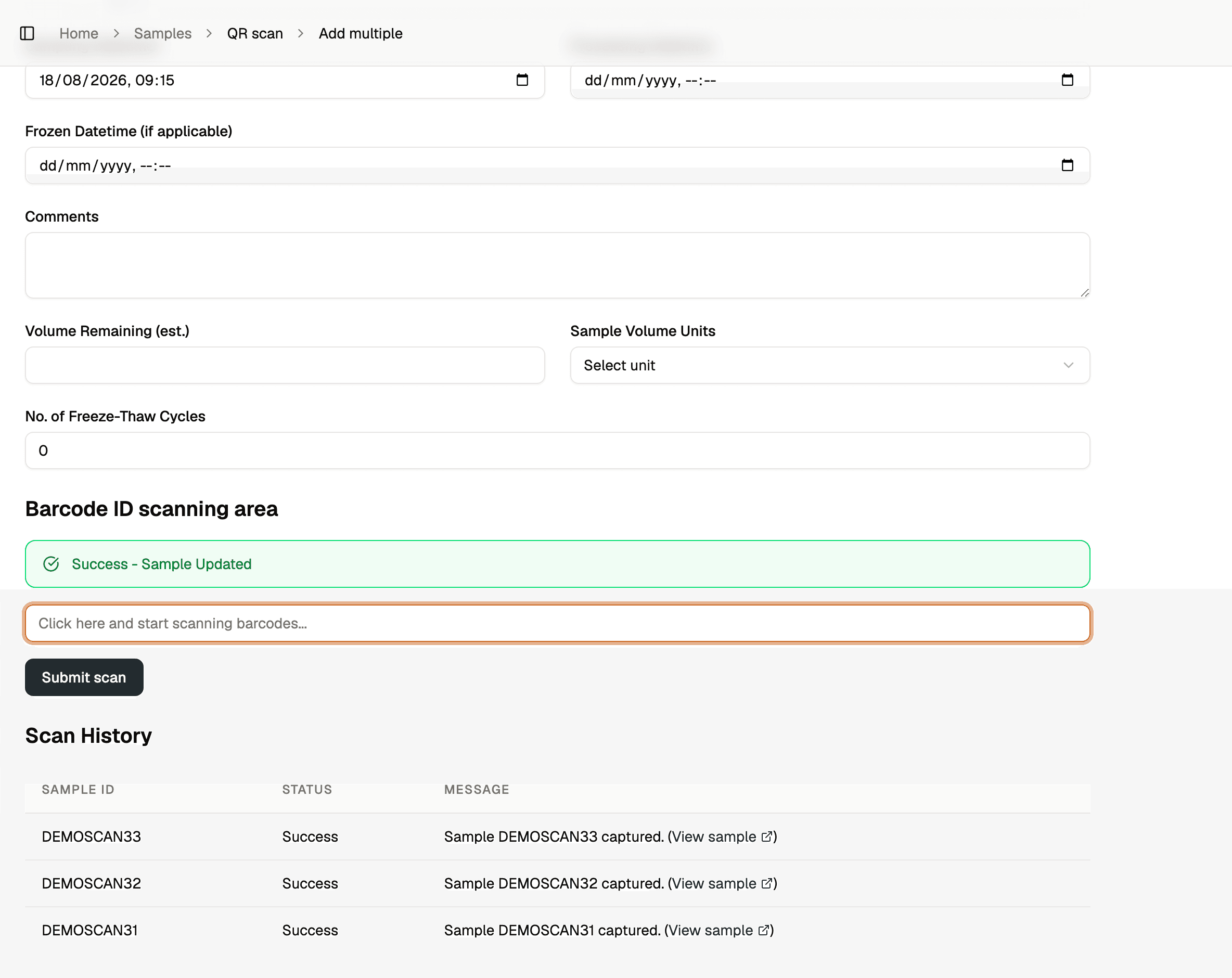
Registers new samples in bulk. Set the form once, then scan continuously. A history table logs every result, and clicking a successful row opens the record it created.
Update Location
Moves a batch somewhere else. Choose the destination freezer or lab, then scan each tube that is going there.
Mark Used
Retires material that has been consumed. Scan the tube, and its status changes while the record stays put.
Freezers are messy. The location model expects that.
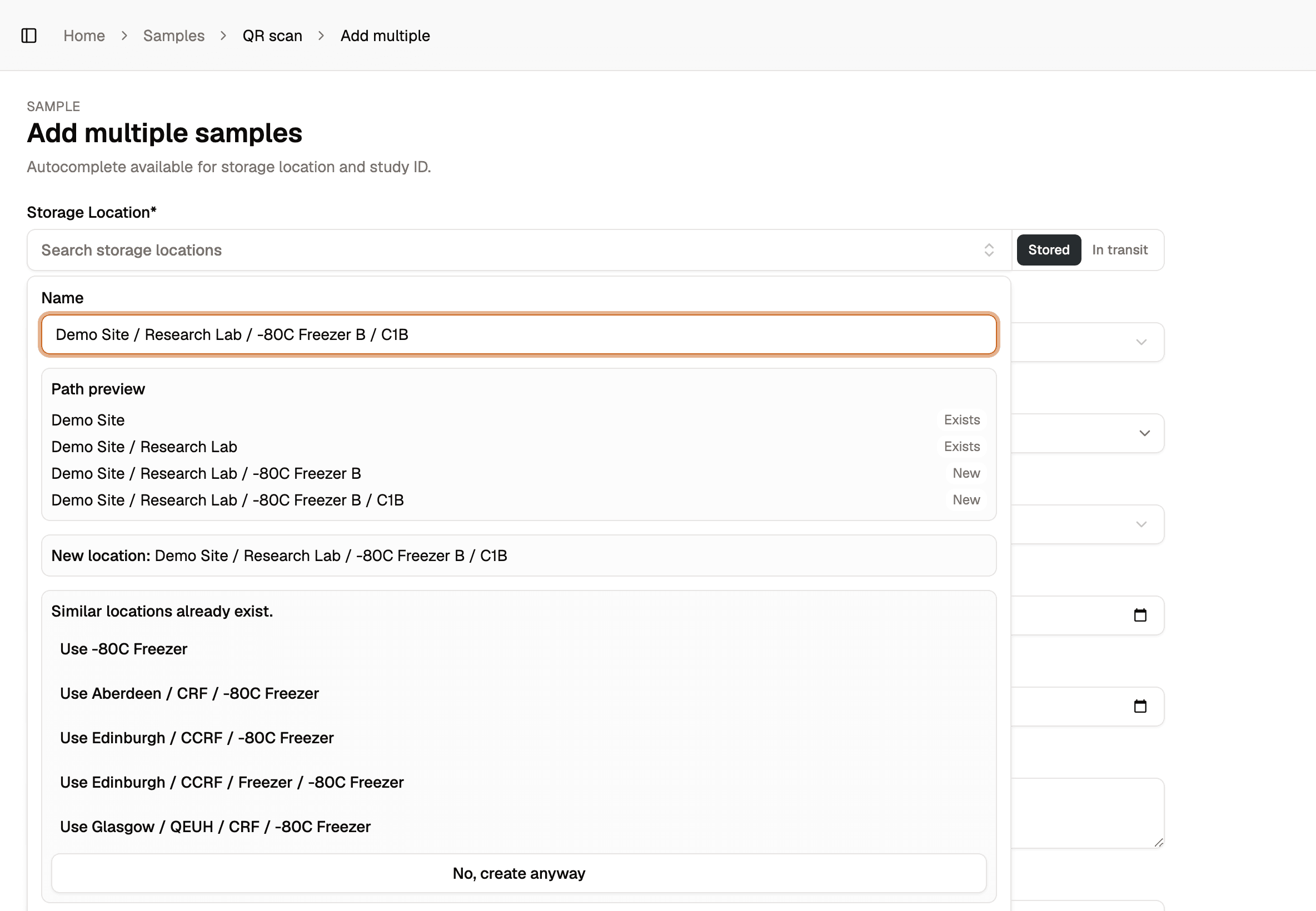
Storage is a tree rather than a fixed set of fields. Demo Site / Research Lab / -80C Freezer B / C1B runs four levels deep; a smaller site might only need two. Nobody has to model the building before the first sample can be saved, and a location can be created in the middle of a scanning session without leaving the form.
- Type a full path and anything missing gets created, with each level marked as existing or new before you commit
- Near-duplicates are caught at the point of creation, so -80C Freezer B and -80c freezer b do not both end up in the tree
- Locations that drift apart anyway can be merged, and the merge records what moved, why, and who did it
- Any location will tell you how many samples and boxes it holds before you change or retire it
- Retiring a location leaves it on the historical records rather than deleting it
The study ID is what joins a sample to its data.
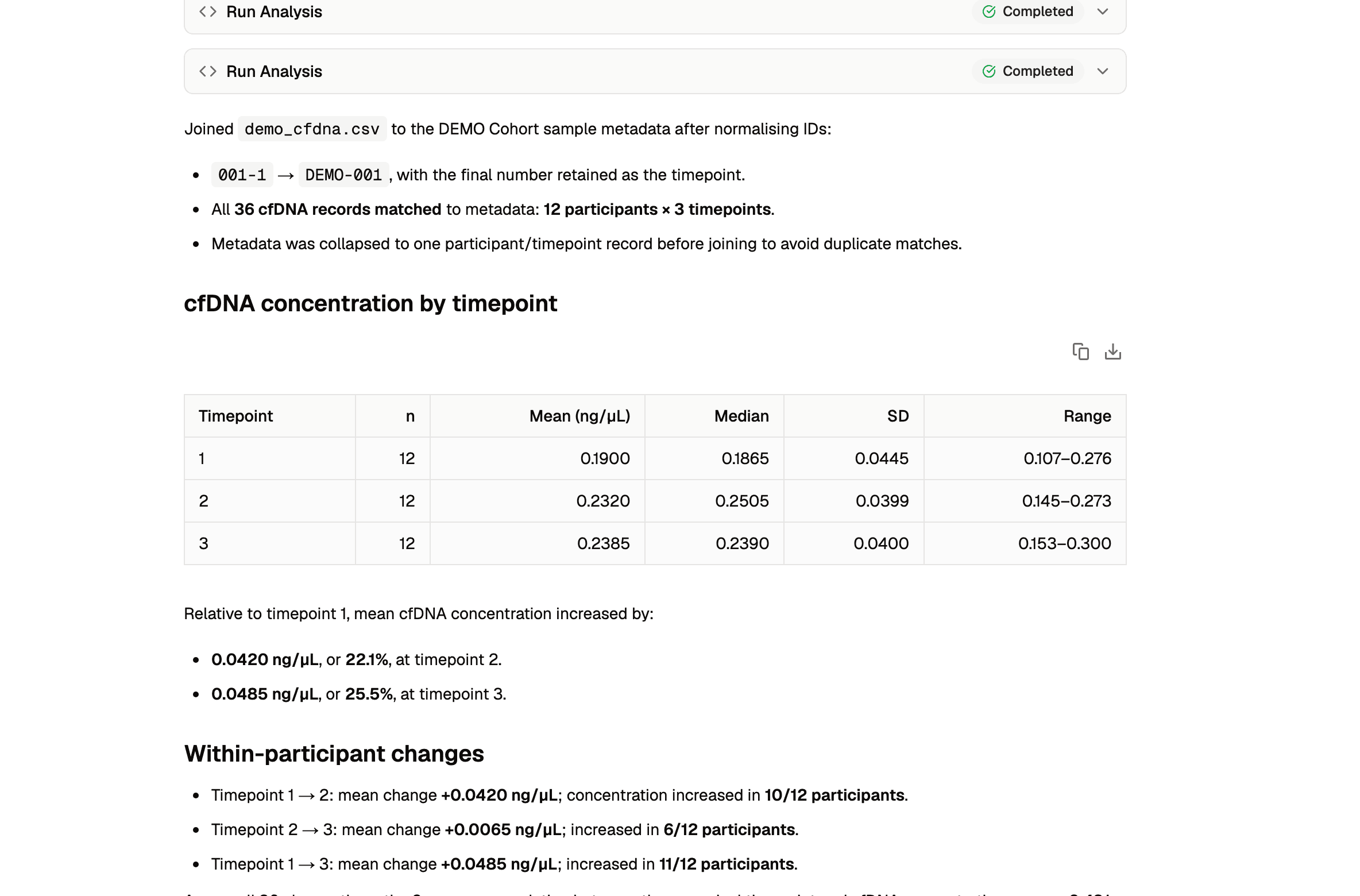
Every sample record carries the participant's study ID and timepoint. The study's clinical datasets use that same key, so the link between a tube in the freezer and that participant's visit records already exists. Nobody has to rebuild it in a spreadsheet.
- Upload a spreadsheet of assay results and join it to sample metadata on study ID and timepoint
- Helix can detect and reconcile mismatched ID formats, so a spreadsheet's 001-1 matches DEMO-001 at timepoint 1
- Ask Helix to return the joined table as a CSV you can download and work offline with
- Helix can read a dataset's schema and build the analysis steps on top of it
Interested in using Foundry120, or exploring a research collaboration?
We’d be glad to hear from research groups and institutions exploring the platform, or holding data that has outgrown spreadsheets and shared drives.
Request a platform walkthrough →